
Leftovers Label & Use Tracker
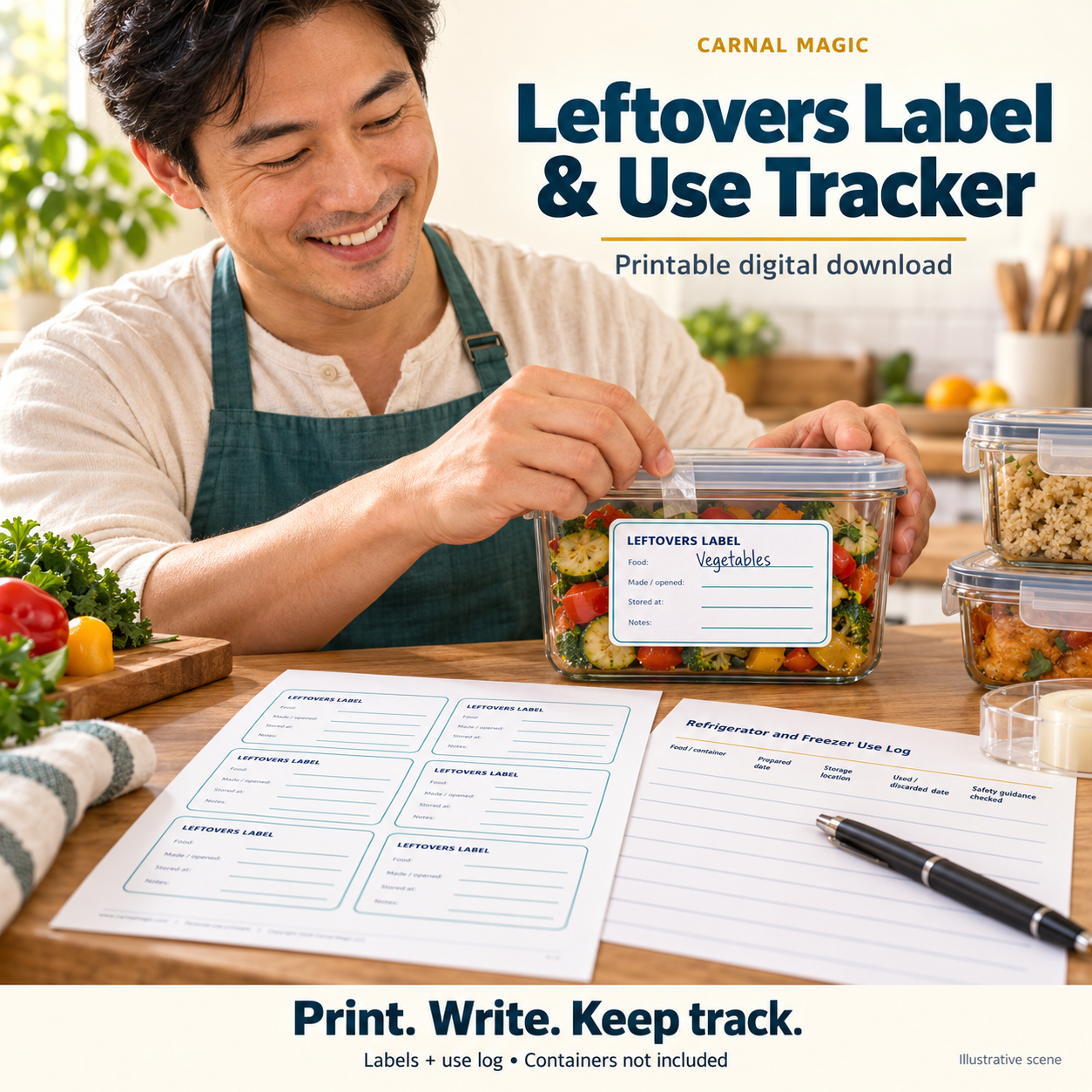
See what you stored and keep a simple record of when you used it. Leftovers Label & Use Tracker is a four-page downloadable PDF with six cut-apart labels and a refrigerator/freezer use log for 13 entries.
Start simply: print the label sheet at actual size, write the food name and made/opened date, add the storage location or notes, then attach a label to a suitable container. Use the log to record preparation, storage and the date food was used or discarded.
For an established meal-prep routine: print extra copies for your own use, keep the log near your storage area, and record which food-specific guidance you checked. Labels measure 3.5 by 2 inches at actual size. Paper, a printer, writing tools and a suitable way to attach labels are needed for physical labels; containers and adhesive labels are not included.
Use without printing: Open the downloaded PDF on your phone, tablet or computer and use its prompts and reference pages on screen. Keep your answers, dates and check-off list in a separate notes app or document, using the worksheet titles as headings. If your PDF app supports text boxes or pen markup, you can also annotate a saved copy. Built-in fillable fields are not required for this method.
Organize prepared food with six cut-apart leftovers labels and a 13-entry refrigerator/freezer use log. Four pages total: cover, instructions, label sheet and log. Labels are 3.5 by 2 inches at actual-size printing, with food, made/opened, stored-at and notes fields. The log records preparation, storage and use/discard details with room to note checked guidance. Tracking dates does not establish food safety; follow current food-specific storage guidance. No particular commercial adhesive-label format is promised.
Static U.S. Letter print-and-write PDF for personal use, not an interactive form. Keep completed personal information private. Digital download only; no physical goods are shipped.
